Praise and complaints
What pulls your rating up and what drags it down
Every subject customers bring up, with the rating of the reviews it appears in.
TopicsExample data
 OpiniDataSign inStart free
OpiniData's AI reads every one and shows you what customers praise most, what they criticise most and what to do first.
Free, no card, with the full analysis.
Real OpiniData screens
You don't read review by review. The AI reads them all and sorts out what keeps coming up.
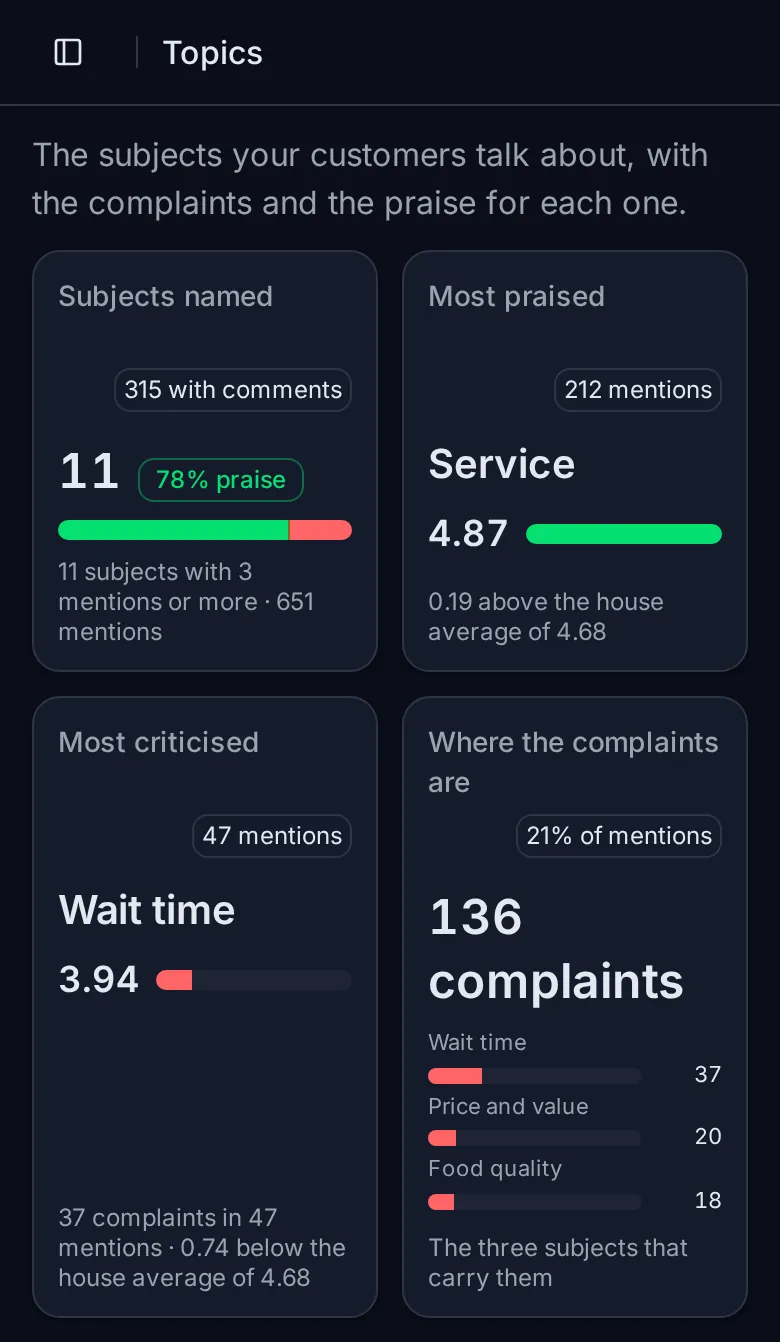
Praise and complaints
Every subject customers bring up, with the rating of the reviews it appears in.
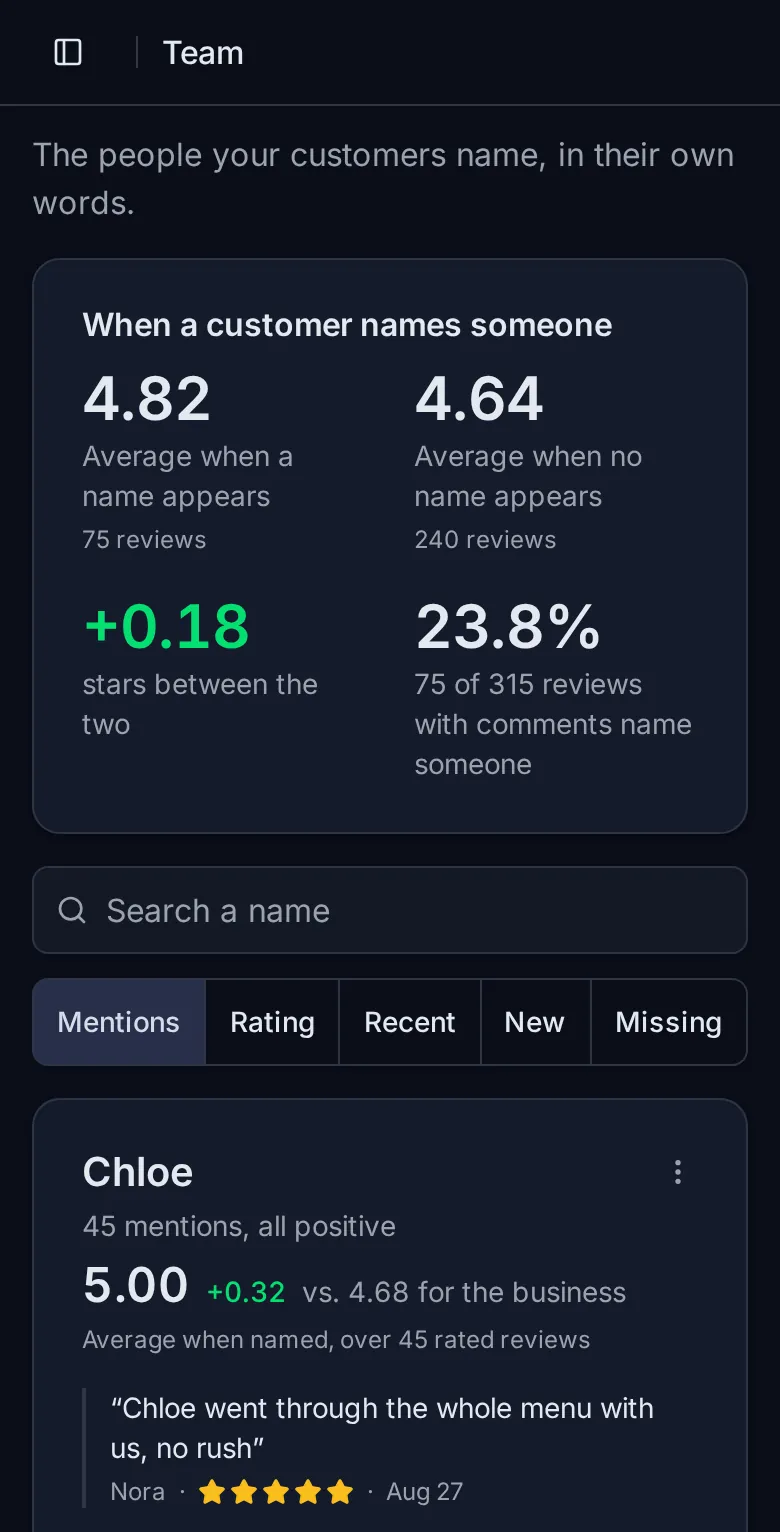
Team
And how much the rating changes when someone is named. In the example, 4.82 against 4.64.
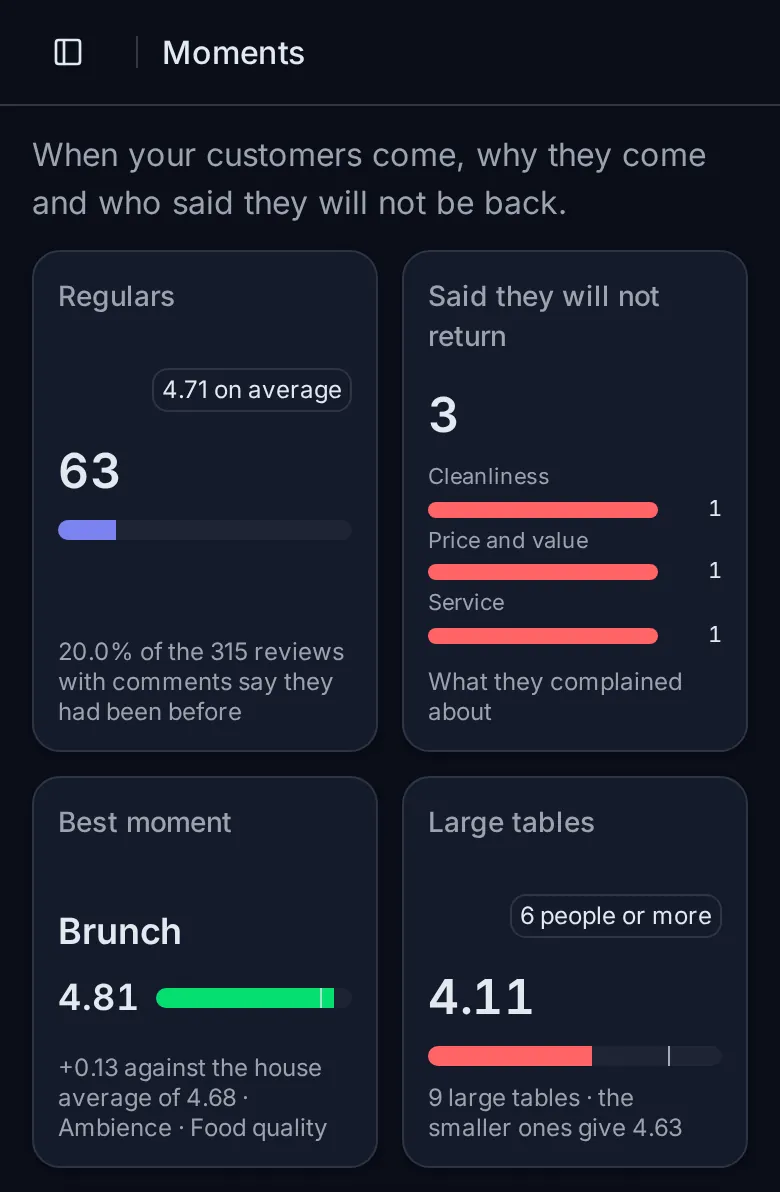
Who won't come back
And who your regulars are, read from the comments.
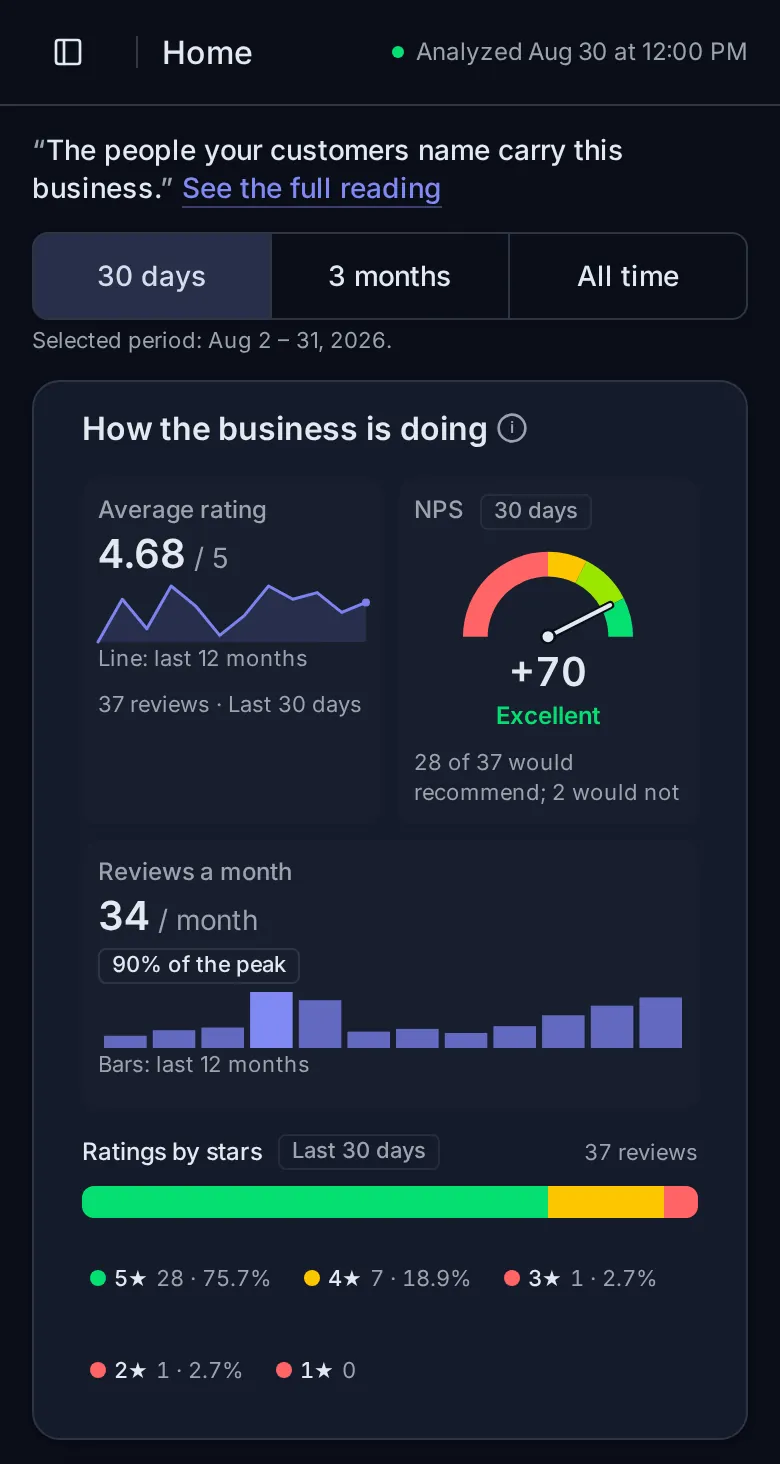
Rating, NPS and reviews month by monthTo see whether the change worked.
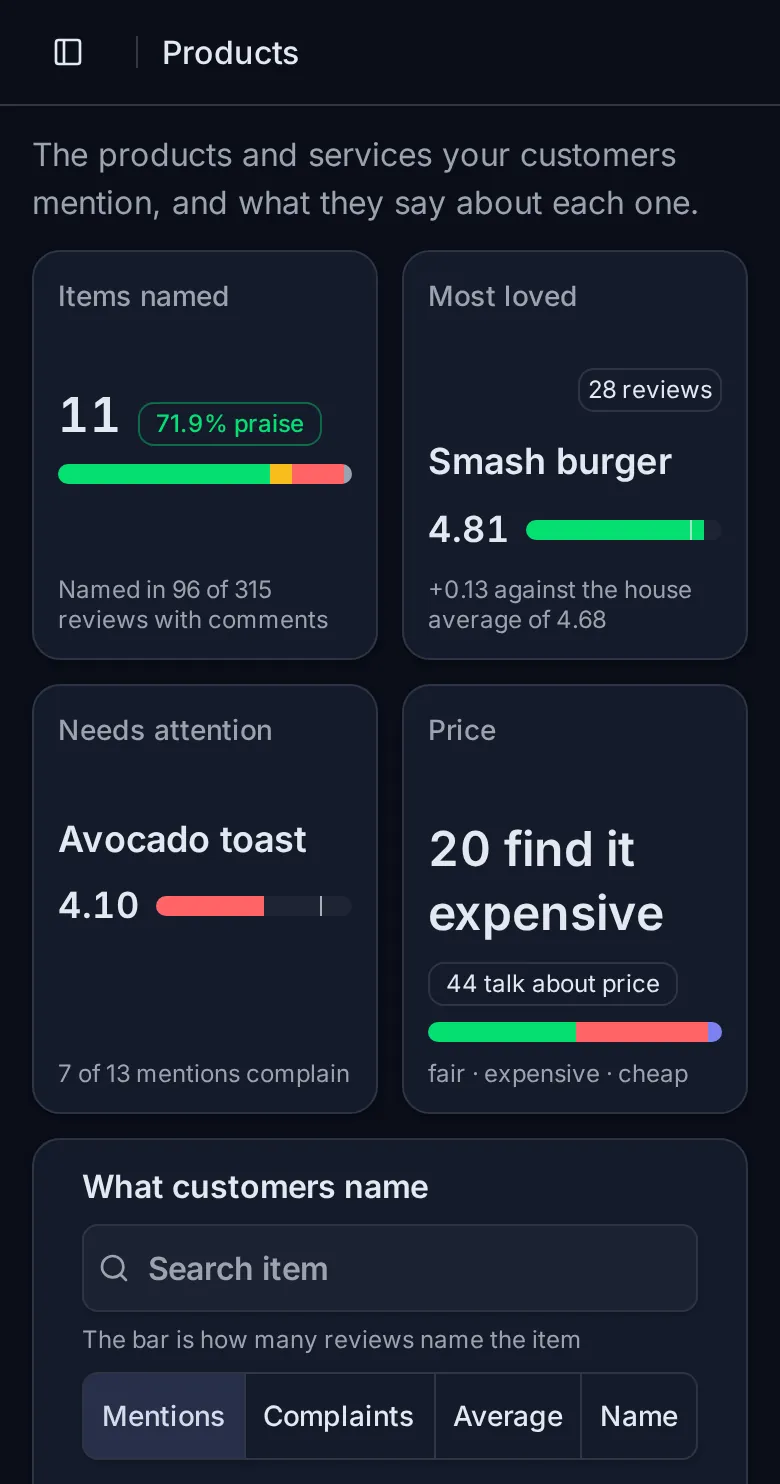
Products and services mentionedThe best loved, and the ones that need attention.
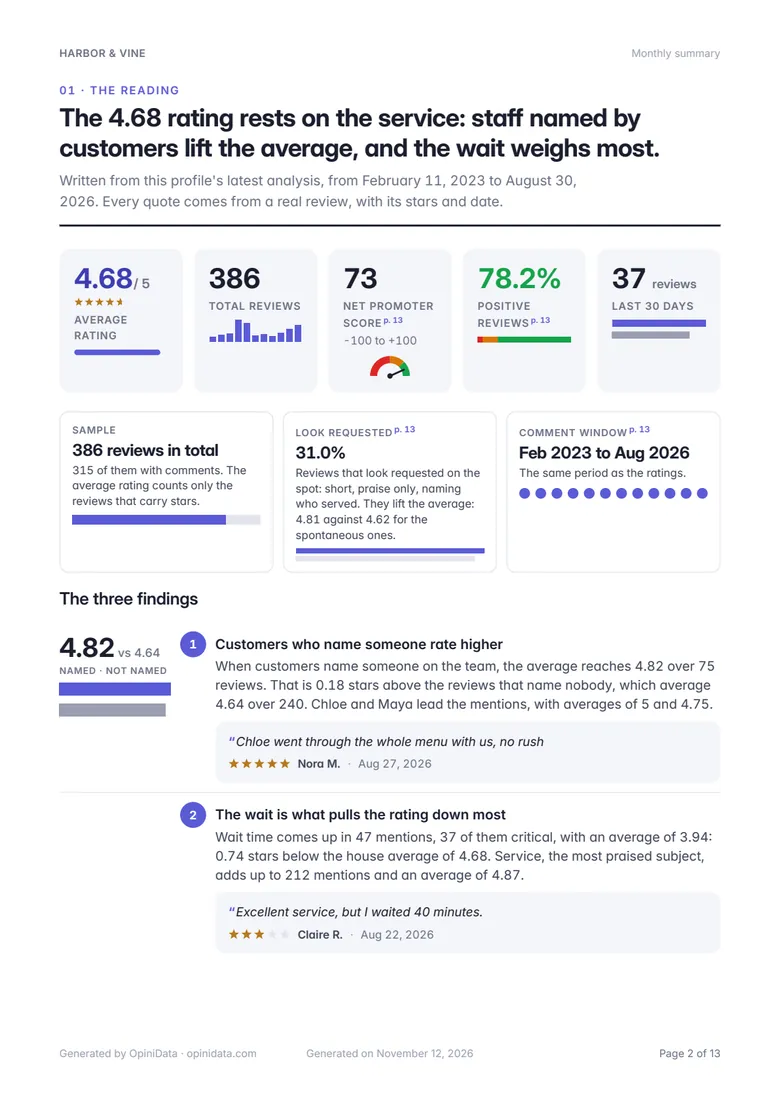
PDF reportThe period's reading and the action plan.
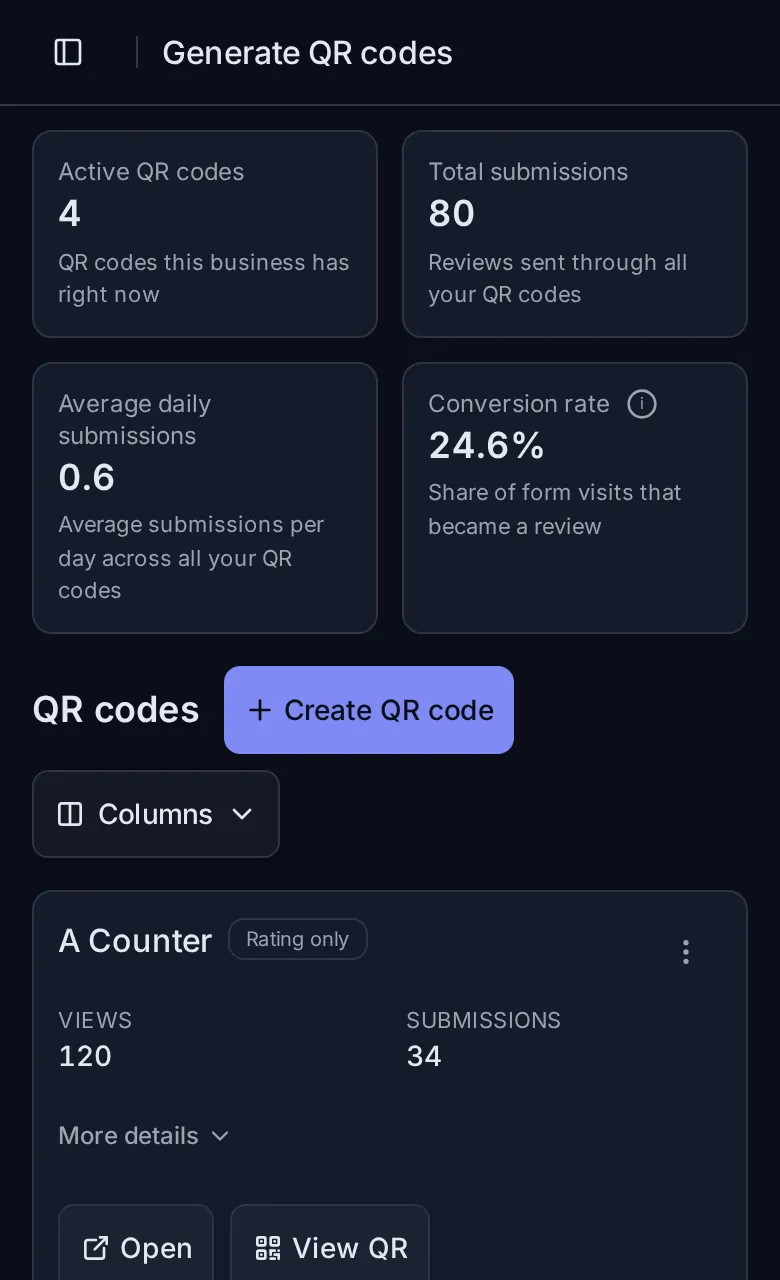
QR code to collect reviewsFor the counter, the table, the front desk or the receipt.
The screens show example data from a café. With your reviews, the subjects are your business's own.
How it works
With Google or with your email. No card.
Choose where they come from, inside your account. No reviews yet? Create a QR code and start collecting.
The AI reads everything and shows the praise, the complaints, which of your staff get named and an action plan, in order.
Free account
No sample: it's the real OpiniData, within the Free plan's quota. One business, up to 50 stored reviews and 15 analyses a month.
What you see in your account
Pricing
To try it with one business.
For each business, product or location you follow.
Every quota is shared by the whole account across its businesses.
Get ProMore than one business? Each one is $10 a month, up to 500. Charged in US dollars, with no setup fee; your bank may add a conversion fee. Cancel whenever you like.
Pro plan · MCP
Connect OpiniData to Claude or another AI assistant, then ask about your reviews in a chat.
What do my customers complain about most?
The wait time. In the 315 reviews with comments, it's the subject that gets the most complaints. Customers who mention the wait rate you 3.94 on average, below the house average of 4.68.
Read only: the assistant reads your reviews and changes nothing.
Common questions
Yes. The Free account asks for no card and already includes the full analysis of one business, with up to 50 stored reviews and 15 analyses a month. You only subscribe to Pro if you need more.
It works for anyone with reviews: clinics, salons, shops, restaurants, gyms, hotels, apps, service providers. The AI reads what your customers wrote, so the subjects are your business's own.
Bring them from somewhere else: Google Play, a spreadsheet (Excel or CSV) or a PDF. If you have none yet, create a QR code and start collecting.
An average hides the detail. A business rated 4.8 can have the same complaint coming back for months. The analysis also shows what customers praise most and which of your staff they mention by name.
No. OpiniData works in the browser, on your phone or computer.
Yes. Pro has no setup fee, you cancel whenever you like and the plan stays on until the end of the period you already paid for.
Create your account, bring in your reviews and see what to do first.
Free, no card. Already have an account? Sign in